


Review on Archer C20 Wireless Dual Band Router by TP-LINK - IEEE 802.11ac Ethernet with AC750 for Improved Internet Performance by Ahmad ᠌

No joy in buying the product, it's not good.
Before that, there was a 2-band n-standard router with 2 built-in antennas for both bands, i. E. with multiplexing (alternate operation in the ranges, where 300 Mbps is the total speed). During its use, it completely switched to the 5GHz range, but all devices were already ac-standard. The old router supported all existing channels and worked on completely free ones from the second hundred, it turned out that in fact there is only one channel (if you select the 80 MHz band at a speed of 433), which is already used by all neighbors and the signal from some 5 out of 5! So that there is no talk that the frequencies are clogged only if I'm in the shopping center, I attach a screen. In order to somehow correct the situation, I narrowed the channel to 40 MHz at a speed of 200 Mbps. But still it did not fix the situation when I changed the tariff from 50 to 100 Mbps maximum speed, this router cuts it down to 70 Mbps!
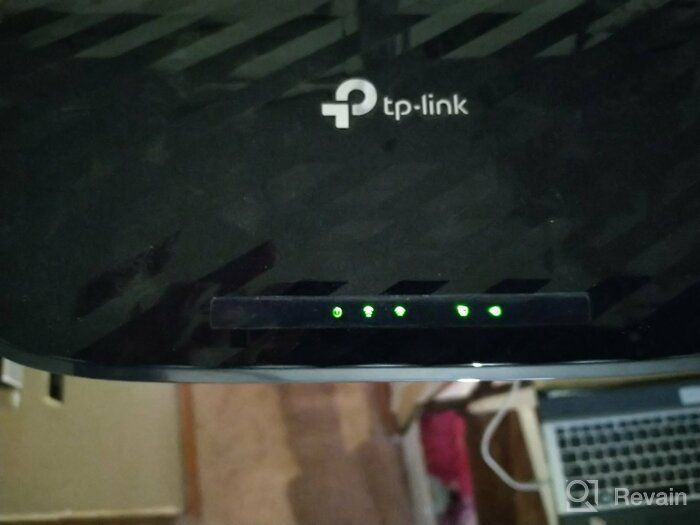
- Appearance, large antennas (for an amateur), a powerful signal drives neighboring routers from their channel (if they have auto mode), does not cut the speed along the wire.
- Cuts the download speed via wifi up to 70 Mbps (does not cut the download), no choice of free channels at 5 GHz (lack of channels 52-169).
New products

Top products in 📶 Wifi Routers




Another interesting products

🔌 USR-TCP232-410s: RS232/RS485 Serial to Ethernet Adapter/IP Device Server with DHCP/DNS Support

4 Review

🔌 uni USB C Hub with Ethernet Adapter, 4K HDMI, Gigabit Ethernet, and 3 USB 3.0 Ports for MacBook Pro, iPad Pro, XPS

11 Review

🌐 StarTech.com NETRS2321P: 1-Port RS232 to Ethernet IP Converter, Serial over IP Device Server - Black

5 Review

🔌 CERRXIAN RS232 to Ethernet Serial Device Server - TCP/IP Converter with 1Port DB9 RS232 Serial to Ethernet Connectivity
3 Review