


Review on Computer case Deepcool Matrexx 55 black by Bogdan Bonev ᠌

I definitely recommend buying, I didnt notice any disadvantages.
to turn on the backlight, you need to insert a 4-pin backlight connector (male) into the power supply (mother) there is such a backlight connector that feeds hard drives, if the backlight button flickers red and it annoys you, then you need to disconnect the disc indication cable
I thought it would be helpful to include some photos in my review for a more comprehensive view.
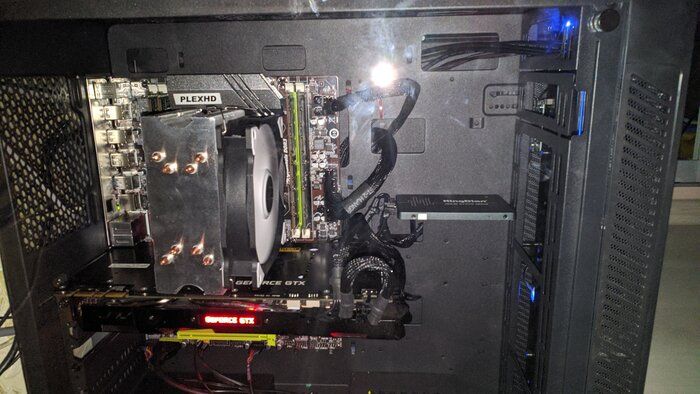
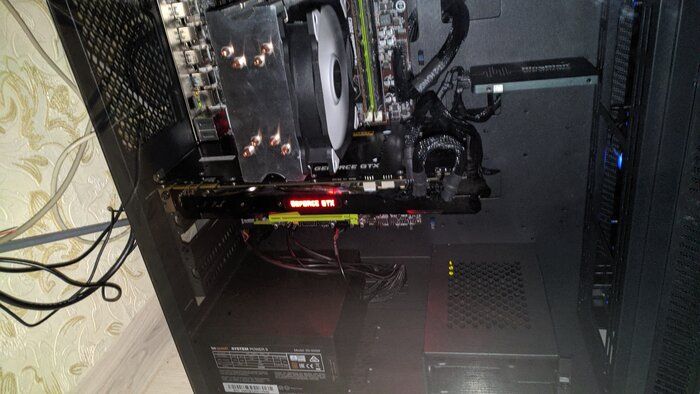
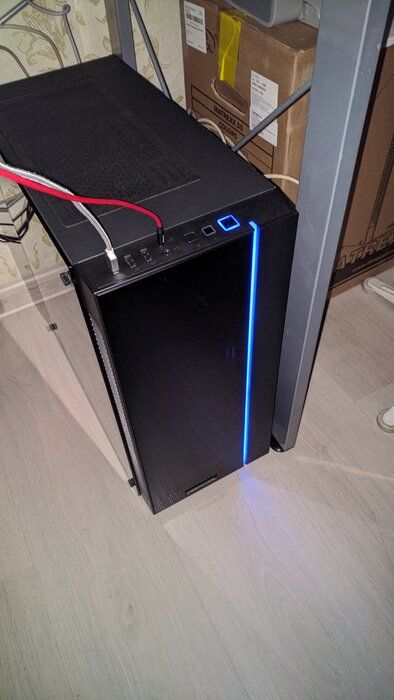
- thick metal, tempered glass.
- if you have a cheap ssd or a power supply with tight wires, then you won’t normally install an ssd, you have to install it like in my picture.
New products
Comments (0)
Similar reviews
Top products in 🎒 Computer Cases

Case Thermaltake Core V21 (CA-1D5-00S-1WN)
30 Review

Computer case be quiet! Pure Base 500 black

32 Review

Fractal Design Define R5 - ATX Mid Tower Computer Case - High Airflow and Silent Optimized - Includes 2x Dynamix GP-14 140mm Silent Fans - Water-Cooling Ready - Black
43 Review

Zalman Z3 M ATX 💻 Tower Computer: A Compact and Powerful Machine
77 Review
Another interesting products

Creative Labs Sound Blaster Play! 3 External USB Sound Adapter - Compatible with Windows and Mac - Plug and Play (No Drivers Needed) - Enhanced 24-Bit 96Khz Playback Upgrade

53 Review

Enhance Your Audio Experience with ASUS Xonar U5 Sound Card

13 Review

Enhance Your Audio Experience with the Creative 70SB181000000 Sound Blaster X3 Digital Audio Converter - Black
13 Review

🎶 External USB Sound Card - CREATIVE Sound BlasterX G6
85 Review