


Review on ASUS VS228H P 1920X1080 Back Lit Certified Refurbished 21.5", Wide Screen, VS228H-P/VS228-Cr by Chris Morales

Good for an "updated " product
A strange mode was installed by default, due to which the image on the screen was blurry. If I didn't have another monitor of the same make and model to compare the settings to, I would probably return it as defective. "Smart View" has been activated, causing the image to become blurry. Turn this off and you'll get better black levels. Not perfect, just better. There were some marks on the back of the monitor, but the screen was not scratched. good enough for me
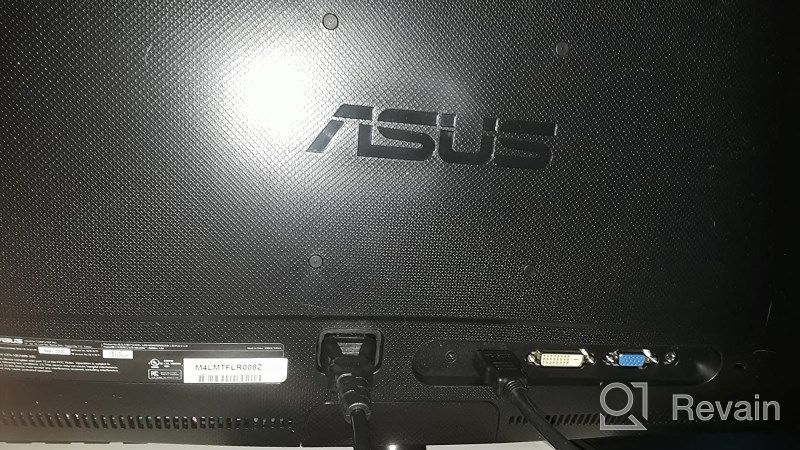
- I've been playing it for a week now with no problems. The picture looks beautiful.
- Monitor speakers are too quiet.
New products
Comments (0)
Top products in 🖥 Monitors

🖥️ Revolutionize Your Interface with Planar PXL2230MW 22 Inch 16 Touchscreen

97 Review

Sceptre C325B-144R: Advanced FreeSync HD Display with Wall Mounting and Tilt Adjustment

94 Review

LG 27MP59G-P 27 inch Monitor with FreeSync, 75Hz Refresh Rate, and 1080p HD Resolution
93 Review

HP 24Uh 24" Backlit Monitor 1920x1080p, 60Hz, LCD with HD Resolution - K5A38AA#ABA
101 Review
Another interesting products

Smartphone Samsung Galaxy A50 4/64 GB, 2 SIM, black
82 Review

💻 Get Amazing Video Quality with Logitech HD Pro Webcam C920 (Discontinued Edition)

83 Review

Enhance Your Visual Experience with Logitech C260 Webcam
78 Review

Logitech HD Webcam C270: Crisp 720p Widescreen Video Calling & Recording (960-000694), Lightweight and Portable at 3.15 lb.
192 Review