


Review on Forito 2-Pack 15.6 Inch Laptop Screen Protector: Blocks Blue Light And Reduces Glare For Eye Protection On 16:9 Aspect Ratio Laptops by Brandon Daughenbaugh

Totally Worth It! - my new review
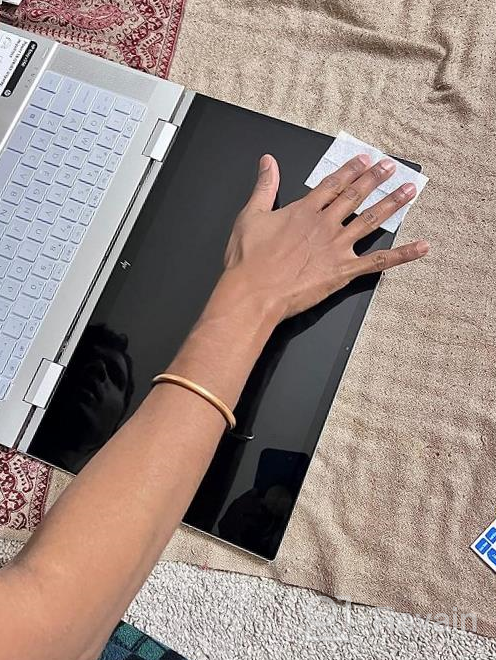
In my opinion, it wasn't a difficult installation process BUT it could be mainly due to the fact that I apply these types of "protective barriers" to most of my digital/LCD screened items. (Also use to wrap tiles in plastic when I was younger 🤷🏽♂️🤔 guess that could be of assistance too lol).• APPLICATIONOverall, an easy installation.hardly any bubbles and if you do get bubbles, just use the squeegee to squeeze/push them out to the nearest side. To avoid getting a lot of bubbles one would have to see a vid to better understand, but you do NOT want to "rush" the application. Rather, patiently "unpeel" the protective screen onto the device or (tougher and I don't recommend unless you know exactly what you're doing) apply with a perfect drop where the protective screen lands square onto device. Any other "bubbles" should pretty much disappear upon drying completely.Taking off the other side of the adhesive was again, easy. No problems. Again, patiently peel it off, while staying close to device, meaning, do NOT pull straight up into the air or away from device, especially if you JUST applied it. If anything, wait for it to adhere/dry completely, then take off the backing.• PROTECTIONThough I just applied it today, I can tell that it should do just fine as far as protecting my laptops screen. As far as the blue light, time will tell.• EFFECTS ON TOUCHSCREENWhen I tried using my stylus (laptop was in a normal position vs tablet form), the "felt end" of my stylus would "skip" around, whereas, the "fine tip" of the stylus worked as normal. Ok with me, for I don't see myself needed to use the felt end anyhow.Other than that, I'm happy with the purchase. Main thing was for me to protect my screen while maintaining the functionality of my laptop.and it happened. LolI recommend! And for the price, why the heck not?!? 🤷🏽♂️ You also get 2 protective screens for those that didn't realize.*** Side note.I did, ever so slightly, install mine like, a few centimeters off, which made me mad (I'm a Virgo 😆) but you cannot tell when laptop is on.
- Quick delivery, great for outdoor use.
- Unwanted reflection on the screen
New products
Comments (0)
Similar reviews
Top products in 🖨️ Scanners & Accessories

Tablet Tripod Mount Adapter For 7-10.2 Inch Devices, Compatible With Cameras – IKross

51 Review

Adjustable And Foldable Aluminum Laptop Stand For Ergonomic Comfort And Ventilation - Suitable For MacBook Pro/Air, HP, Dell XPS, Lenovo And Most 10-15.6” Laptops
39 Review

BUSOHE Cat 8 Ethernet Cable 30 FT, High Speed Flat Internet Network Patch Cord, 40Gbps 2000MHz Faster Than Cat7/Cat6, Shielded LAN Wire With Gold Plated RJ45 Connector For Router,Modem,Xbox,PS4-Black
34 Review

Upgrade Your Fitbit Versa With TOYOUTHS Patterned Scrunchie Bands - Elastic, Stylish & Comfortable!
41 Review
Another interesting products

📸 CZUR Shine800-A3-Pro Professional Document Camera and Scanner with OCR Function for MacOS and Windows - Height Adjustable, Supports A3 & A4 Documents

4 Review

IPEVO V4K: Ultra High Definition 8MP USB Document Camera - Perfect for Live Demos, Web Conferencing, Distance Learning & Remote Teaching on Mac OS, Windows, and Chromebook
3 Review

🎥 Enhance Distance Education & Web Conferencing with INSWAN INS-1 - Tiny 8MP USB Document Camera
3 Review

INSWAN INS 2 Dual Mode Supplemental Conferencing
3 Review