


Review on Lenovo G34W 10 34" Curved Monitor, 3440x1440P, Height Adjustable, Anti-Glare Coating, Flicker-Free - Model 66A1GCCBUS by Fried Abrams

Well! Use a dedicated cable.
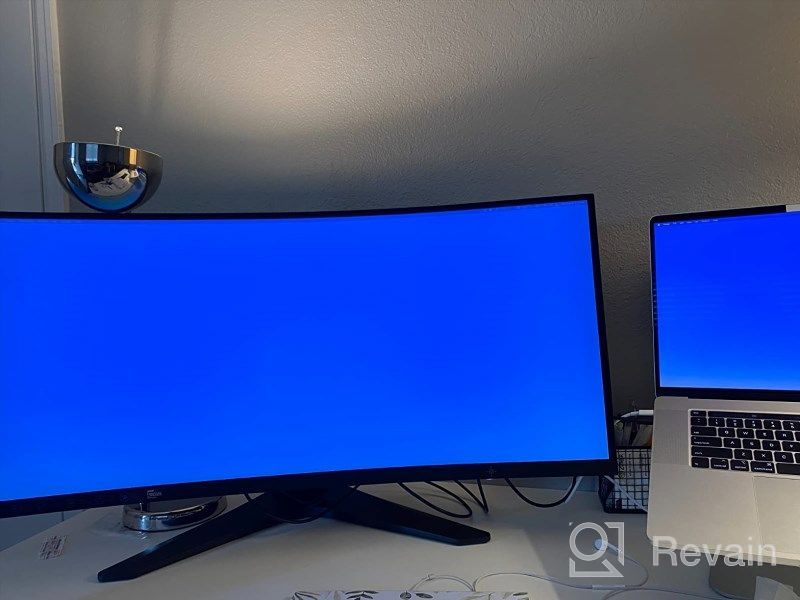
Firstly, buy a dedicated cable for that monitor if the included DisplayPort cable isn't compatible with your setup or you may experience connectivity issues. I had problems connecting via USB-C dongle to the HDMI port. I have a USB-C to DisplayPort cable that goes with my MacBook Pro 16." Now that I have a monitor that is working properly, I'm pretty happy with it. Some observations: During operation, there are it has a slight hum from it. It has small gaps around the edges that are most noticeable in the dark. The screen seems dark for watching movies. This adds almost 100 watts to my power consumption in the office. I wish the brightness controls would be more accessible so I can more easily adjust the brightness on my laptop screen.
- VESA mountable
- too stupid
New products
Comments (0)
Top products in 🖥 Monitors

LG 27MP59G-P 27 inch Monitor with FreeSync, 75Hz Refresh Rate, and 1080p HD Resolution

93 Review

Sceptre C325B-144R: Advanced FreeSync HD Display with Wall Mounting and Tilt Adjustment
94 Review

🖥️ Revolutionize Your Interface with Planar PXL2230MW 22 Inch 16 Touchscreen

97 Review

Dell E2318Hx LED Lit Monitor: High-Definition Display with Flicker-Free Technology and IPS Panel
109 Review
Another interesting products

Apple AirPods Pro MagSafe RU Wireless Headphones, White
159 Review

Renewed Logitech G PRO X Wireless Lightspeed Gaming Headset with Blue VO!CE Mic Filter for Immersive Gaming Experience
122 Review

Logitech HD Webcam C270: Crisp 720p Widescreen Video Calling & Recording (960-000694), Lightweight and Portable at 3.15 lb.
192 Review

Enhance Your Visual Experience with Logitech C260 Webcam
78 Review