


Review on Logitech Brio Webcam - 90 FPS - USB 3.0 - 4096 x 2160 Video - Auto-Focus - 5X Digital Zoom - Microphone by Bali ᠌

I like the product very much, fully consistent with my expectations.
The camera is demanding on lighting. You need a lot of good light. Then the picture will be perfect. I set it up like this: - displayed video from the rear camera of the iPhone and from Logitech on one screen in the same lighting conditions - with the help of the sliders for brightness, contrast, saturation, I brought the picture to the identity of the iPhone (I apply my parameters). Disable autofocus if you are within 1.5m of the camera. Leave the auto white balance, and auto exposure (Exposure). If the picture flickers, try 50 or 60 hertz AntiFlicker. For RF/CIS - 50. I set everything up in the LogiTune utility, it is possible in G-Hub, it is possible in others.
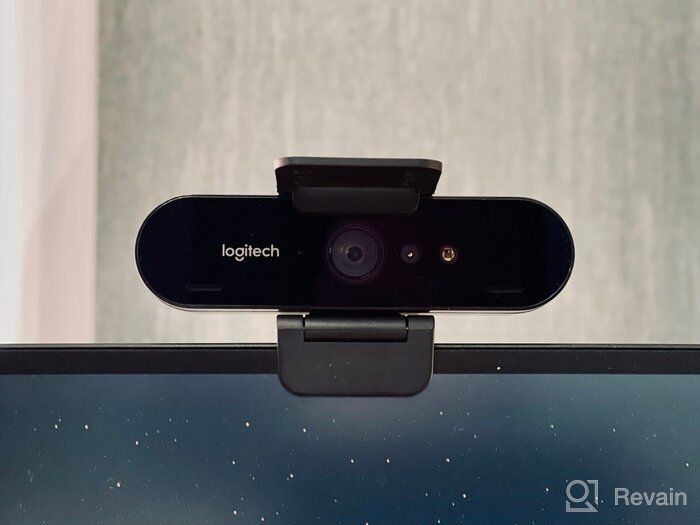
- The best quality webcam for August 2022. There is no competition among webcams.
- Weak bass in the built-in microphone, the voice for the listener sounds about in the middle between a good separate microphone and AirPods Pro. But this is more likely for those who are not engaged in professional streaming, but buy this camera for good quality online calls.
New products

Similar reviews

Top products in 💻 Computer Audio & Video Accessories

Smartphone Samsung Galaxy A50 4/64 GB, 2 SIM, black

82 Review

Renewed Logitech G PRO X Wireless Lightspeed Gaming Headset with Blue VO!CE Mic Filter for Immersive Gaming Experience

122 Review

Apple AirPods Pro MagSafe RU Wireless Headphones, White
159 Review

🎥 Logitech C270 Webcam: Crystal Clear Video and Superior Quality

183 Review
Another interesting products

Verbatim 4.7GB DataLifePlus DVD-R 50-Disc Spindle: White Inkjet Printable with Hub Printable - 16x Recordable Disc (95079)
10 Review

High-Quality Philips 16X DVD+R Media 50 Pack 📀 - White Inkjet Printable - Versatile Cake Box Packaging (DR4I6B50F/17)
10 Review

📀 Smartbuy 700MB/80min CD-R Blank Data Recordable Media Discs - Pack of 100, 52x Speed, White Top
10 Review

🎥 RCA Hi-Fi Stereo Videotape (10-Pack) - Limited Stock by Manufacturer | Improved SEO
10 Review