


Review on LG 27QP88D B2 27-Inch Monitor: Crisp 2560X1440 Display, Dual Controller, Dynamic Action Sync, Flicker Safe & On-Screen Control - IPS Panel by Jerardo Alston

Suitable for casual gaming and productive work.
Let's be clear that 4k-8k displays are all the rage right now. So you can't compare it with such displays. I switched to these guys from a 144Hz, 144p "gaming" display. I do 85% of my work on an Omen laptop with a 1060 graphics card. I don't play competitive games, but I love detailed games. Other than that, these monitors are very good. Really good quality. The only issue I had was using a DisplayPort cable to connect both devices. Luckily, one YouTuber checked out the display and mentioned that the feature is "off" by default, so I just had to go to EACH display settings by "pressing the settings button on each display" and enabling the feature. THEN I also had the issue of making sure both devices were using the same content and ALSO the mentioned YouTuber going through NVIDIA settings to enable this feature. So my conclusion was knowing that if you're new to using multiple displays, there will be some setup issues. The bracket that holds the displays is really solid.
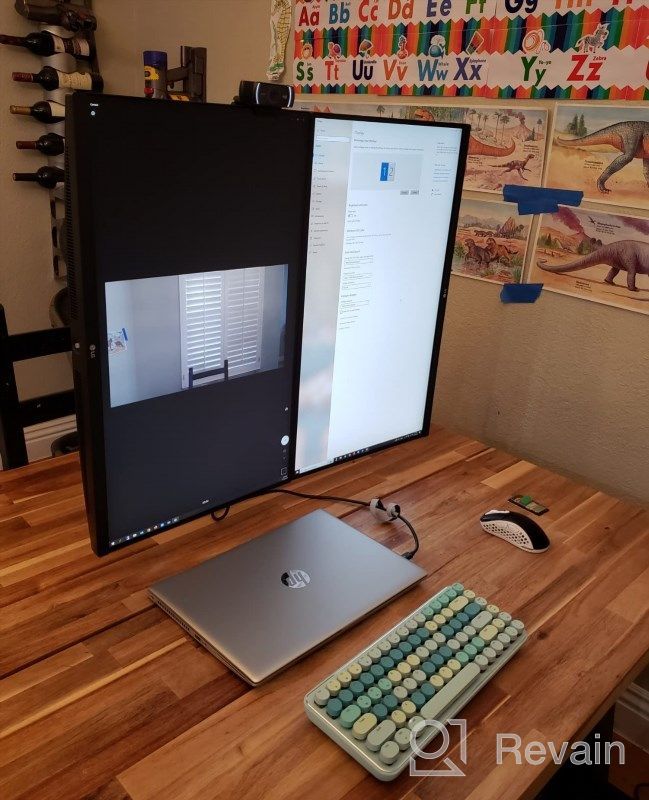
- Dual 27" QHD IPS (2560 x 1440) displays Dual 27" QHD IPS (2560 x 1440) displays deliver detailed images and vivid colors, even at wide angles. And its HDR10 delivers dramatic, dynamic and immersive images.
- makes me angry
New products
Comments (0)
Similar reviews
Top products in 🖥 Monitors

Dell SE2216HV LED 💻 Monitor with 60Hz Refresh Rate

101 Review

Samsung Flat Monitor Super Slim Design 27", 1920X1080P, 75Hz, Flicker Free

112 Review

HP 24Uh 24" Backlit Monitor 1920x1080p, 60Hz, LCD with HD Resolution - K5A38AA#ABA
101 Review

🖥️ Revolutionize Your Interface with Planar PXL2230MW 22 Inch 16 Touchscreen

97 Review
Another interesting products

🎥 Logitech C270 Webcam: Crystal Clear Video and Superior Quality
183 Review

Enhance Your Visual Experience with Logitech C260 Webcam
78 Review

Smartphone Samsung Galaxy A50 4/64 GB, 2 SIM, black
82 Review

Renewed Logitech G PRO X Wireless Lightspeed Gaming Headset with Blue VO!CE Mic Filter for Immersive Gaming Experience
122 Review